
BBVA Pay
Your mobile is your new card
Operation only available from the BBVA app.
-
Pay with your cell phone easily, securely and with no fuss.
-
With BBVA Pay you can forget about taking out your wallet.
-
All you need is your cell phone and the BBVA app.
What is BBVA Pay?
-
BBVA Pay is the most convenient way to pay with your cell phone at any store with a contactless POS. It works with Android and iPhone, and is integrated directly into the BBVA app. You don't need to download anything else.
What are the advantages of BBVA Pay?
-
- No extra apps: don't download anything, you just need the BBVA app.
- Security: relax, the real data of your card is not shared with the merchant where you pay.
- Total convenience: pay how you want, when you want. Your cell phone is always with you, wherever you are.
How is it activated?
-
- Open the BBVA app.
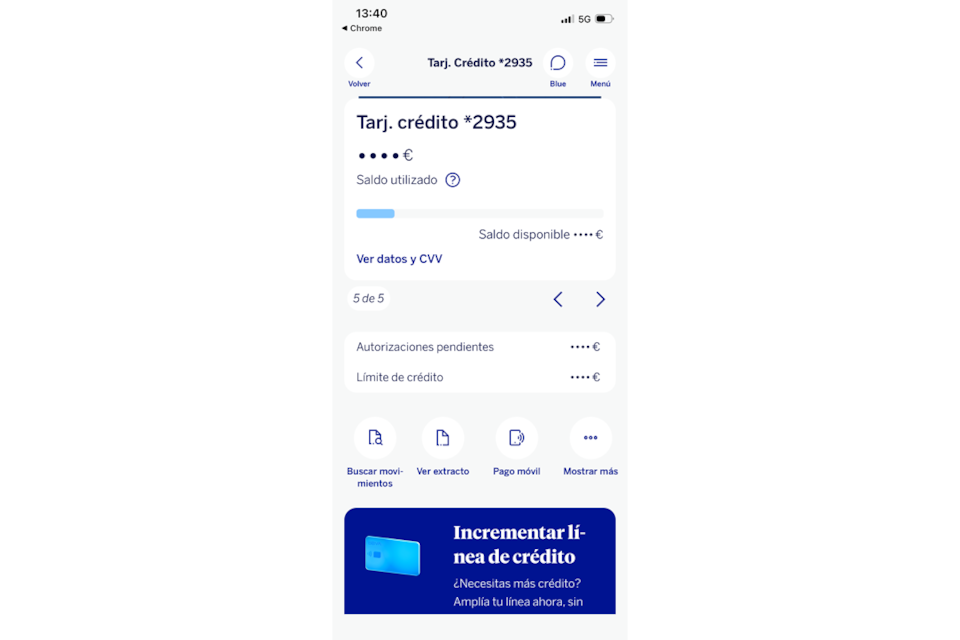
- Select the card you want to use to pay.
- Click on Mobile Payment.
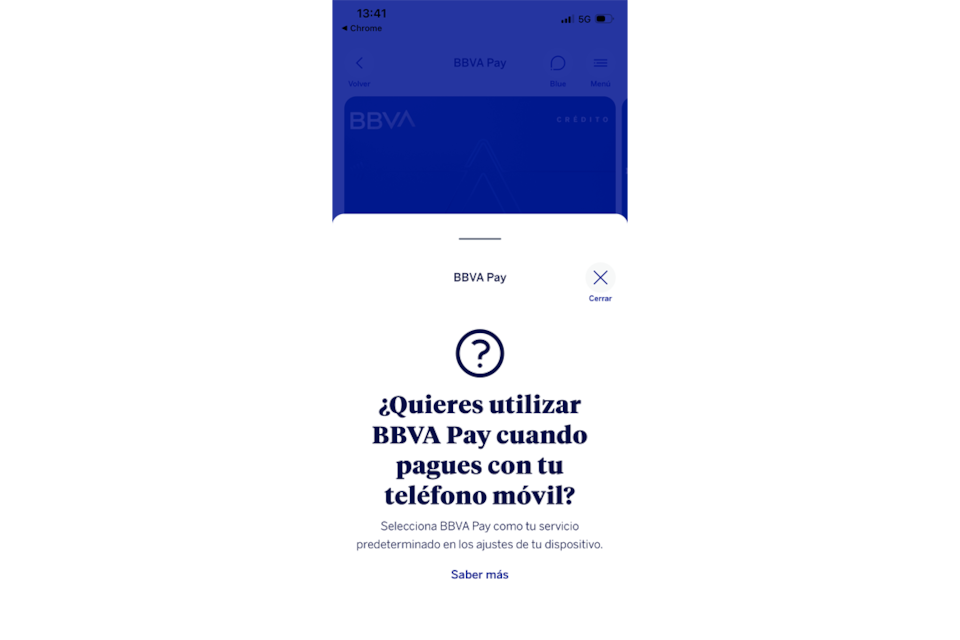
- Select BBVA Pay and that's it!
-
How would you like to pay?
-
On Android:
- Open your cell phone and unlock it.
- Bring it close to the POS (payment terminal).
- You're ready! The payment is made automatically with the card you have configured by default in the BBVA app.
-
On iPhone:
- Double-click the side button.
- Select the BBVA card you want to use.
- Bring your iPhone close to the POS terminal.
- Done! Payment is processed instantly.
Do you have an iPhone?
We'll show you step by step how to activate BBVA Pay
Step 1
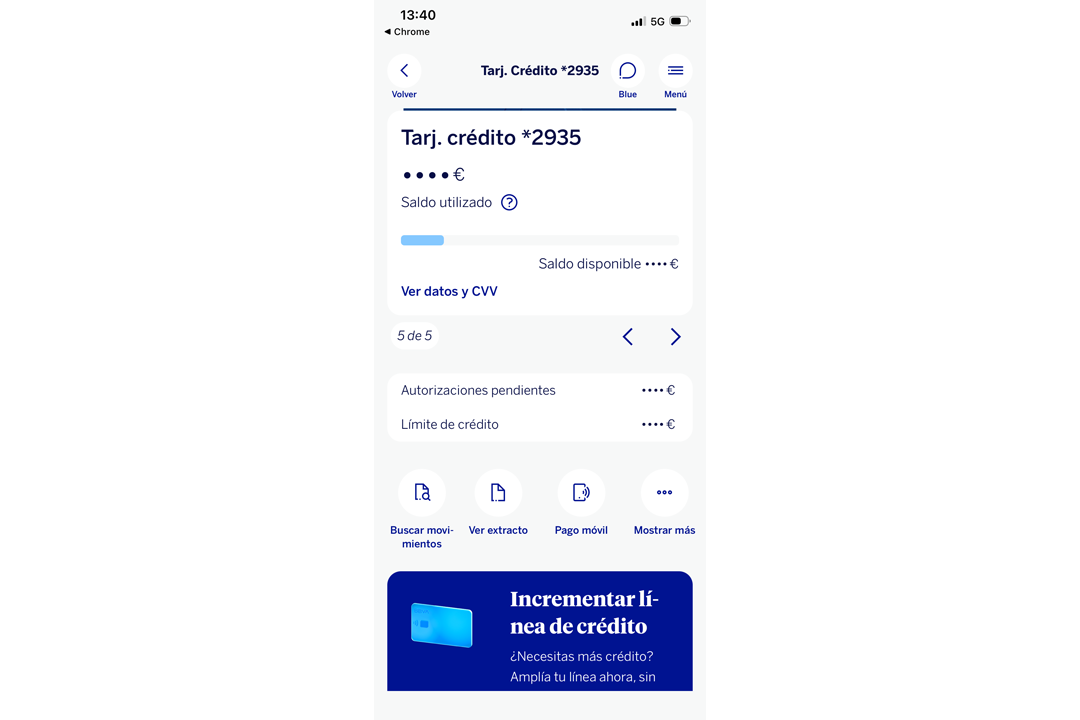
Select “BBVA Pay Mobile Payment” in the card actions.Step 2
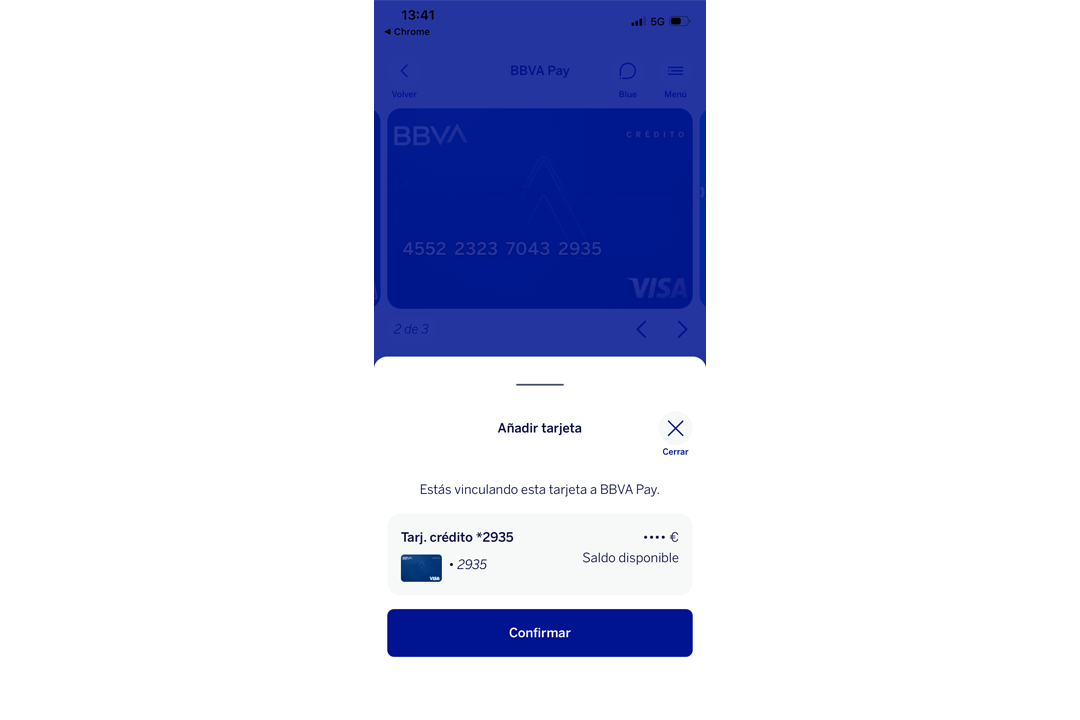
Confirm enrollment in BBVA Pay.Step 3
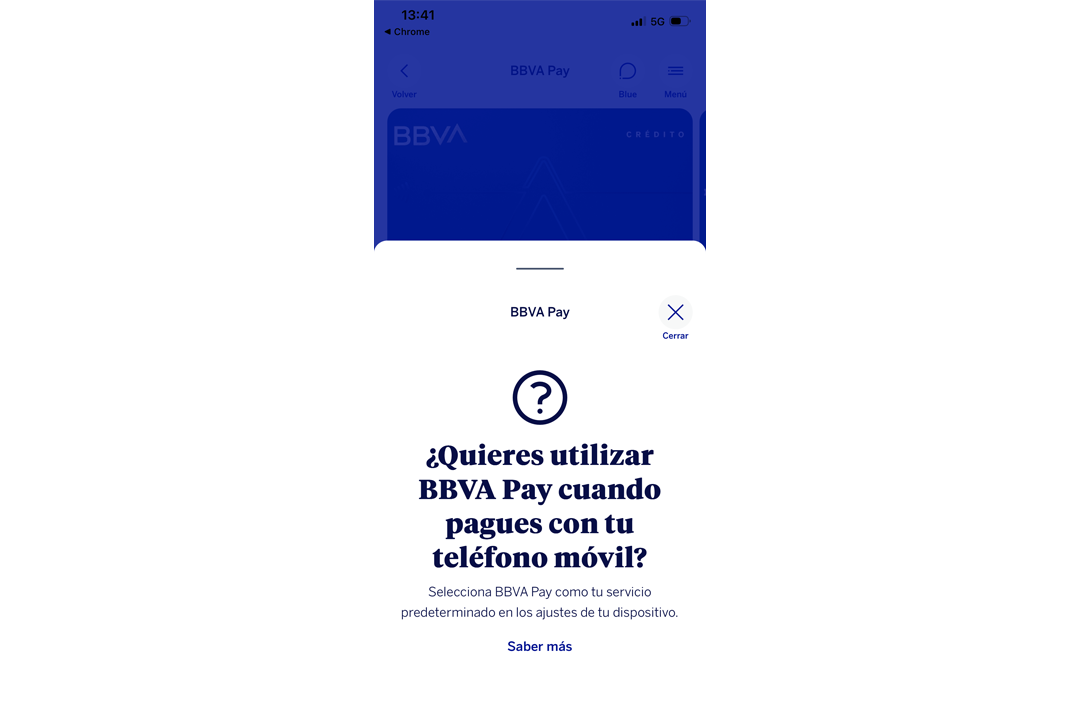
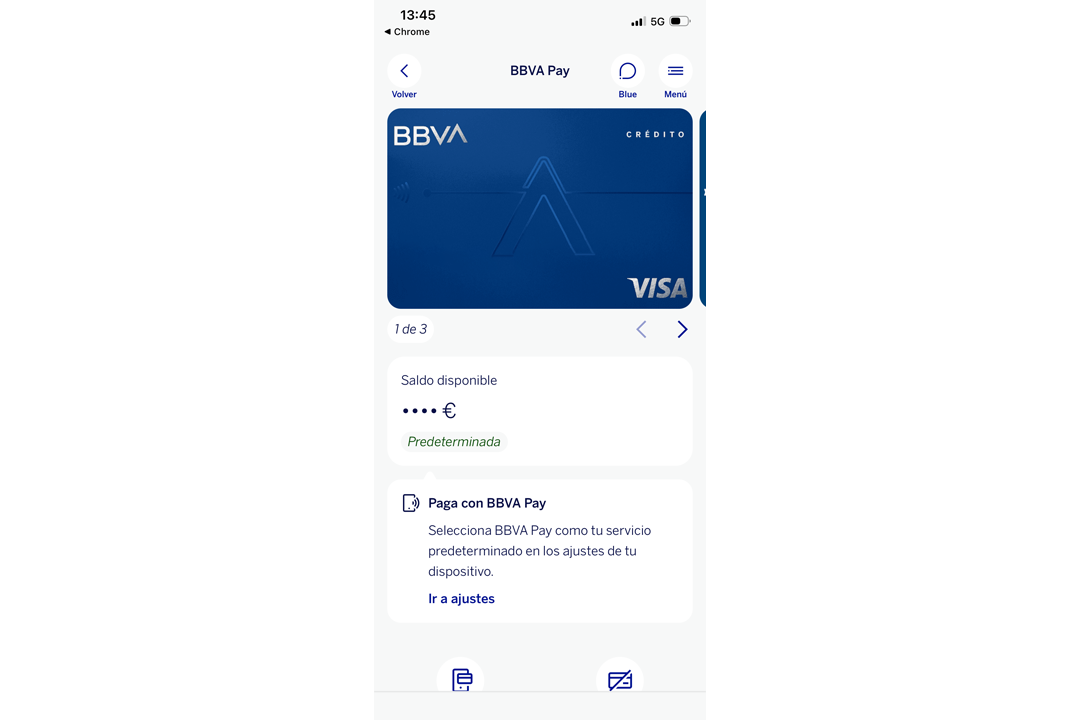
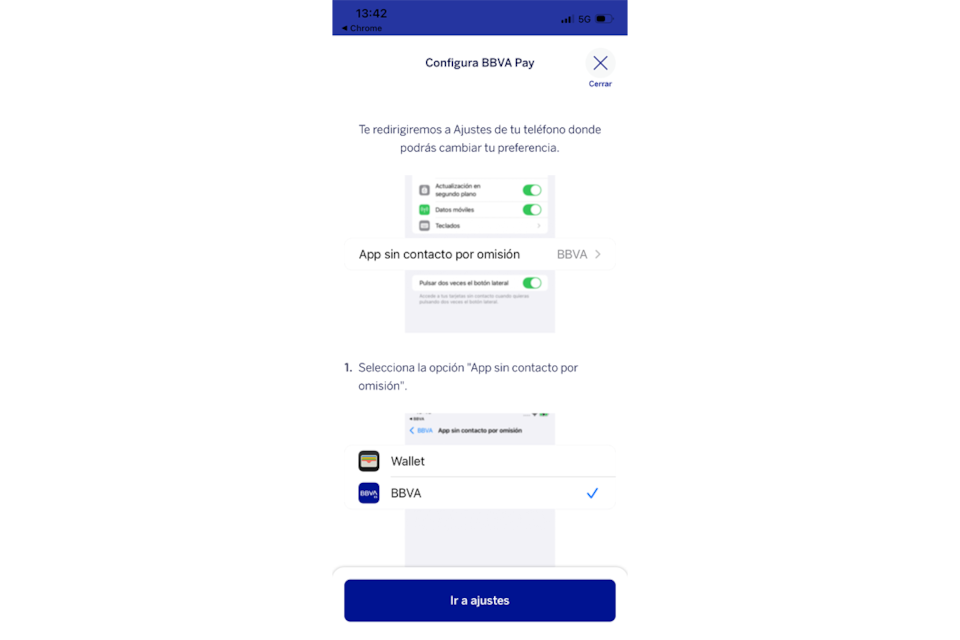
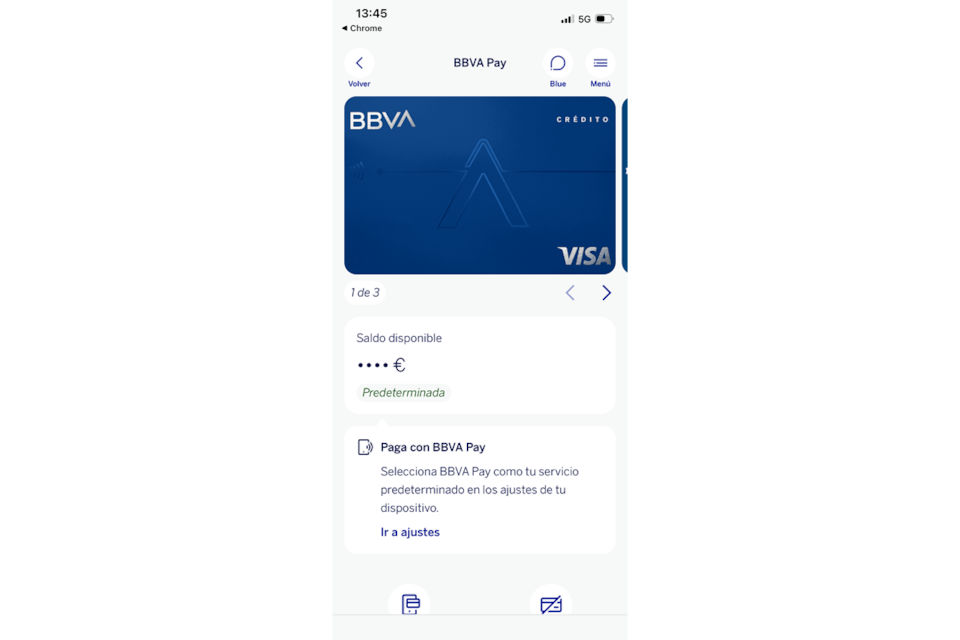
Set BBVA Pay as your default payment method on your iPhone.Step 4
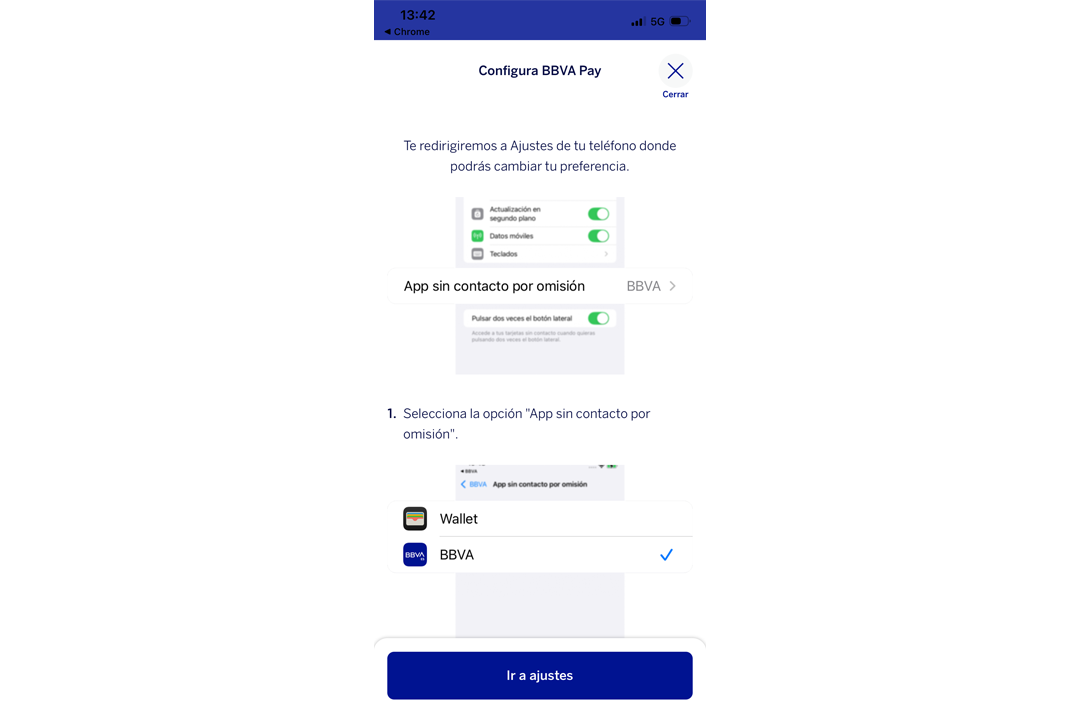
Setup tutorial. Click on “Go to settings”.Step 5
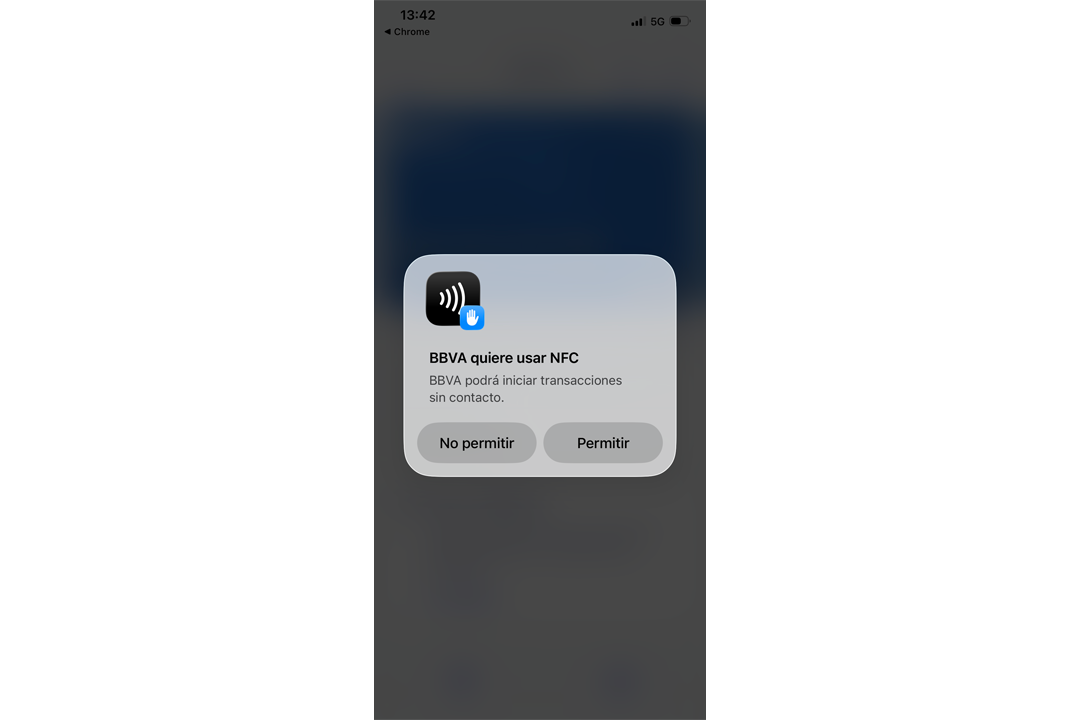
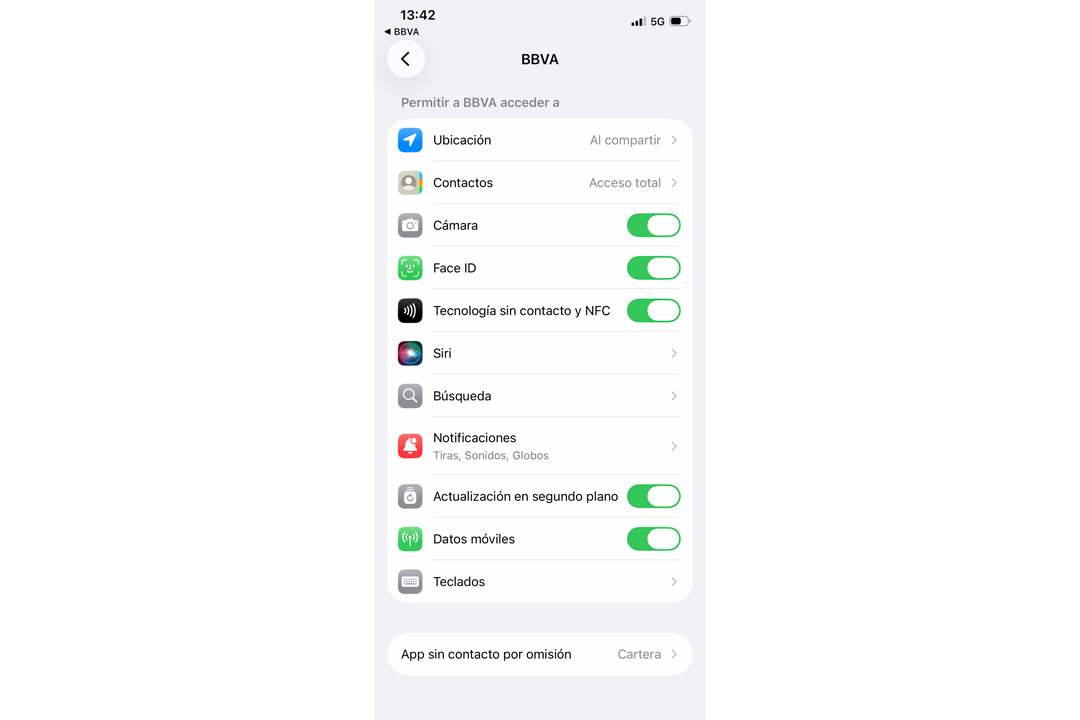
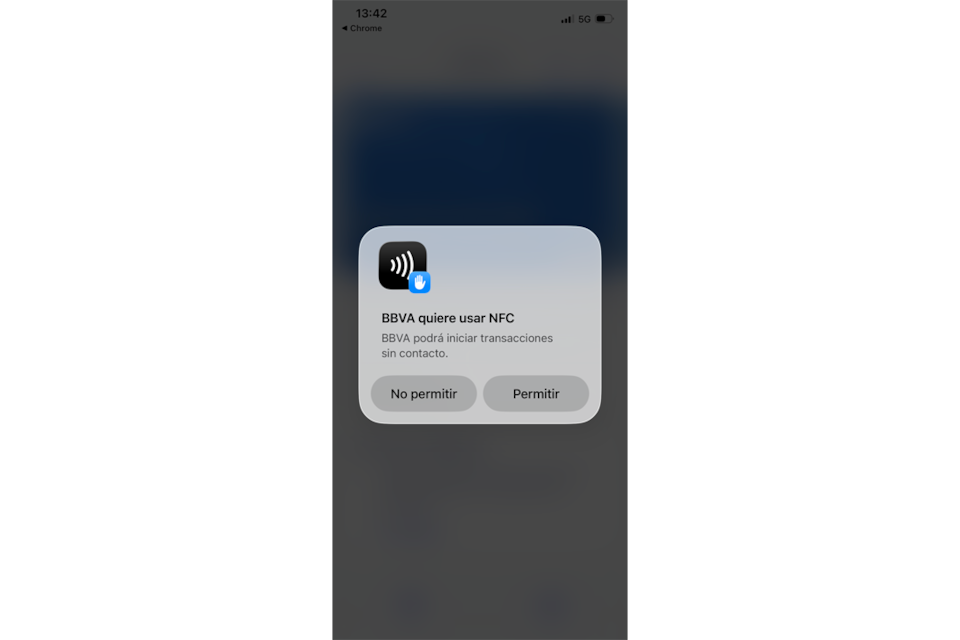
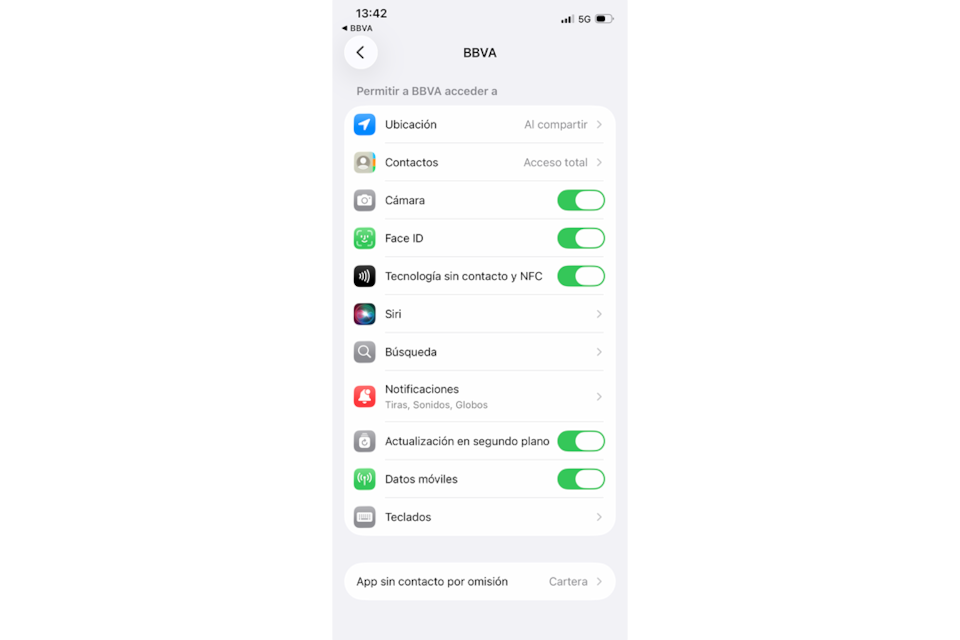
Enable NFC permissions on your iPhone.Step 6
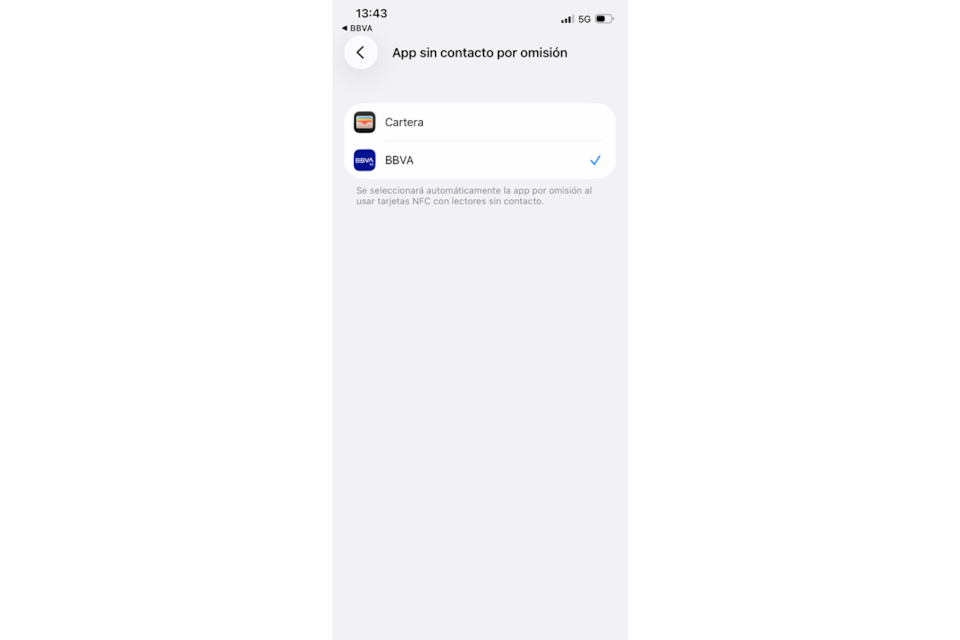
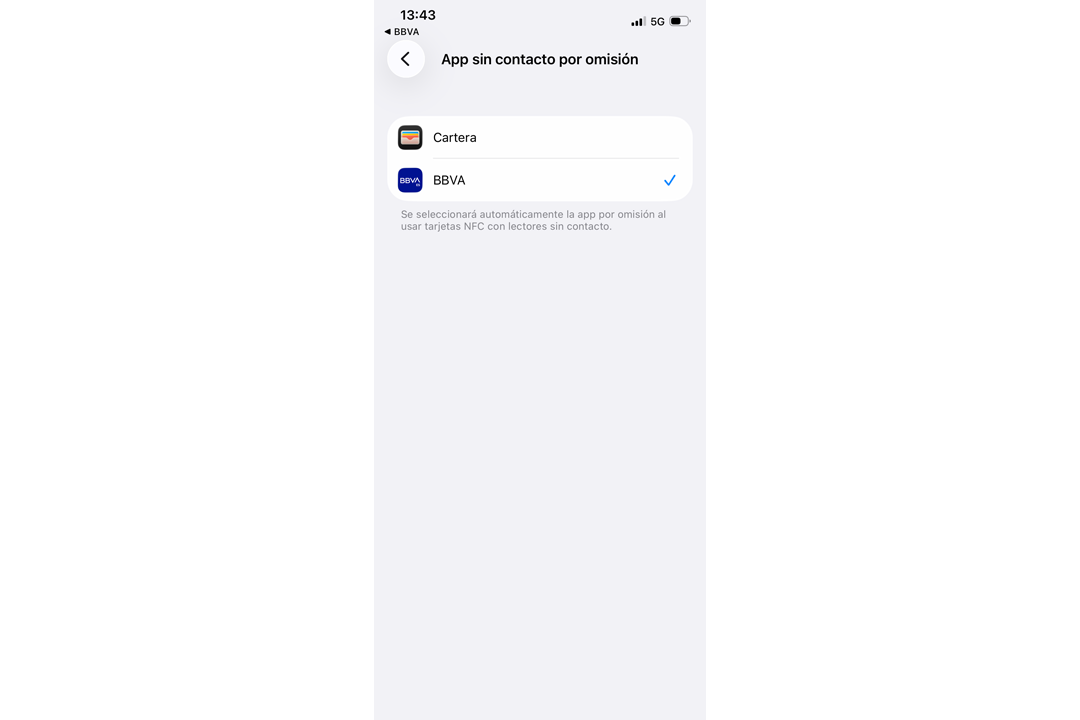
Access the "Default contactless app". Additionally, you can set BBVA Pay as your default payment method on your iPhone at any time from here by following these steps:
1. Phone settings.
2. Select the Contactless payments and apps icon.
3. Select BBVA.
4. Select Default contactless app.
5. Select BBVA.
Step 7
Select BBVA as the default contactless app.Step 8
And that's it!Do you not yet have the BBVA App? Download the app and start enjoying all its benefits
Did you know that you don't need to be a customer to try the BBVA app?
Just create your username. You will be able to connect all your banks to manage your finances and enjoy unlimited features such as Home Appraisal or our calculators. Try it now for free!