Want to try the BBVA app without being a customer?
You can add all your banks, make an appointment to speak to an agent, calculate the value of a house and do other day-to-day business. Without being a customer and without commitment. Register in two steps and get to know us little by little.
Protect yourself from fraud with our security tips
Knowing and avoiding digital fraud is easy if you are well-informed. That's why we want to help you with some very simple tips.
Protect your banking information
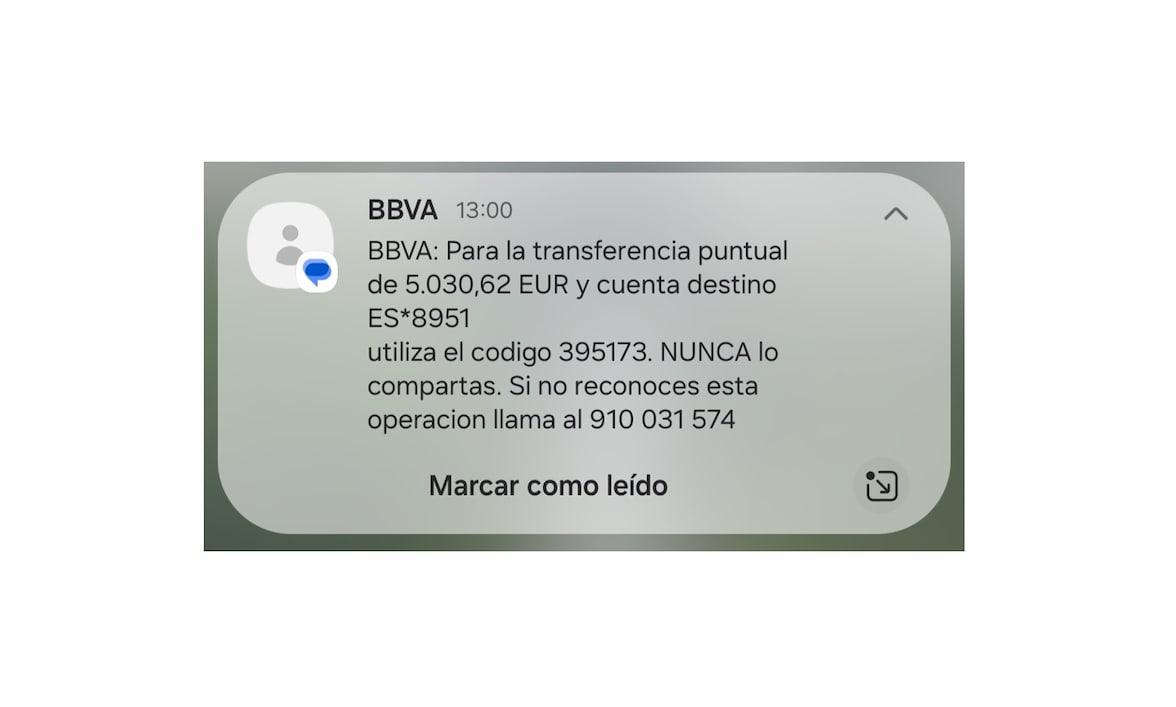
BBVA does not include links or phone numbers in its SMS messages. If you get one like this, it's fake. Elimínalo. Remember that BBVA's official messages now appear in a thread containing the bank's name and logo.
BBVA will never ask you to make or cancel transactions or go to an ATM to make transfers.
Always bank in BBVA's secure environment: in the app or by typing the web address into the browser. Don't access online banking through links included in messages.
Activate biometrics in the app to log in and sign transactions. Biometrics uses your unique physical characteristics to identify you and provide maximum security for your online transactions.
Cybersecurity in one minute
Watch these short videos where some types of fraud are explained.
Types of fraud that can affect you
2:24
1:32
1:19
How to identify SMS messages that are not from BBVA
We have some simple tips to keep you protected against fraudulent SMS messages.